One place to submit, approve, and export every expense
Scan the receipt, send the report, approve from your phone — and every approved expense goes straight to your accounting, across all your companies.
 iPhone and iPad: coming soon to the App Store
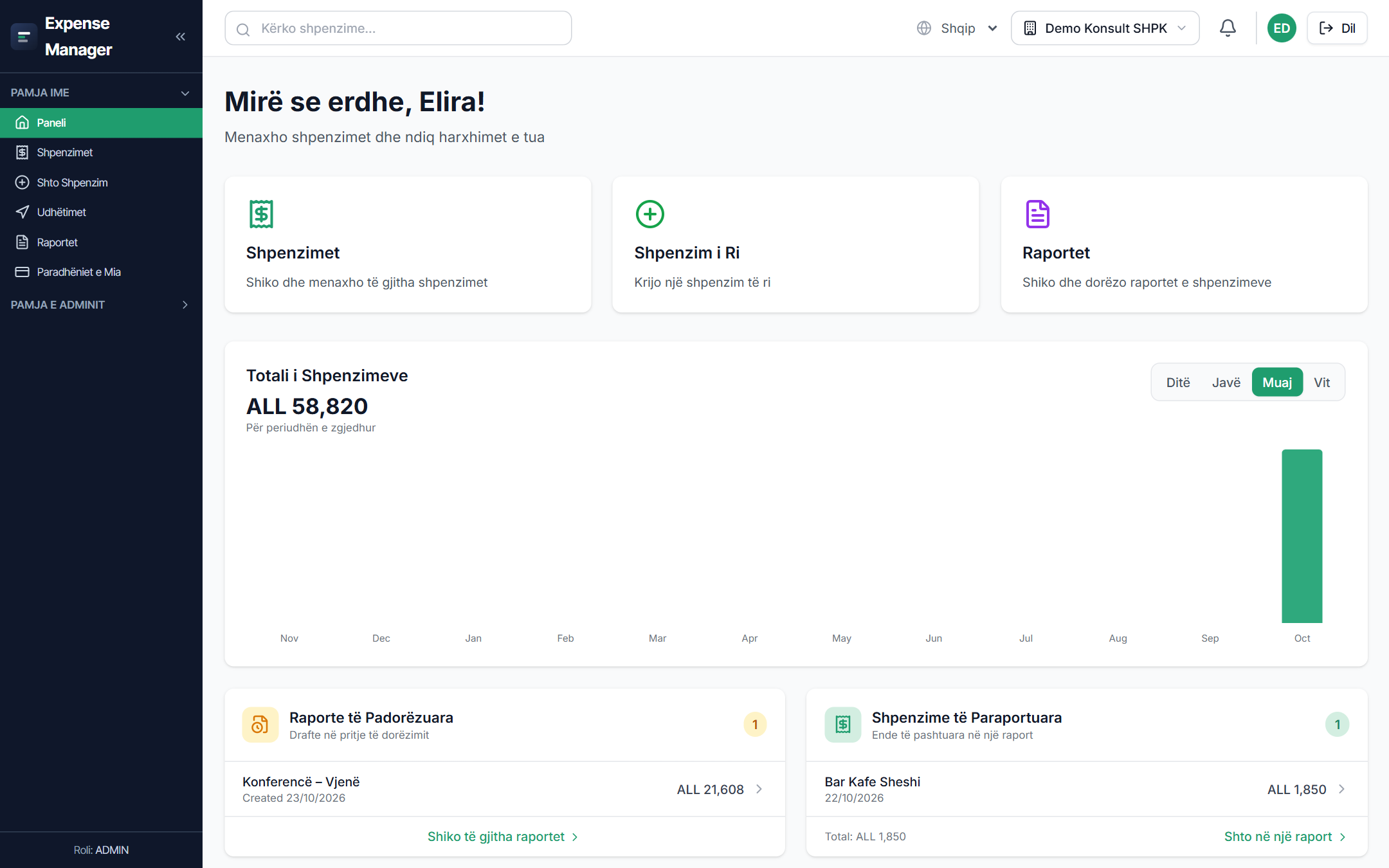
What's new
The latest additions, available now on the web and in the Android app.
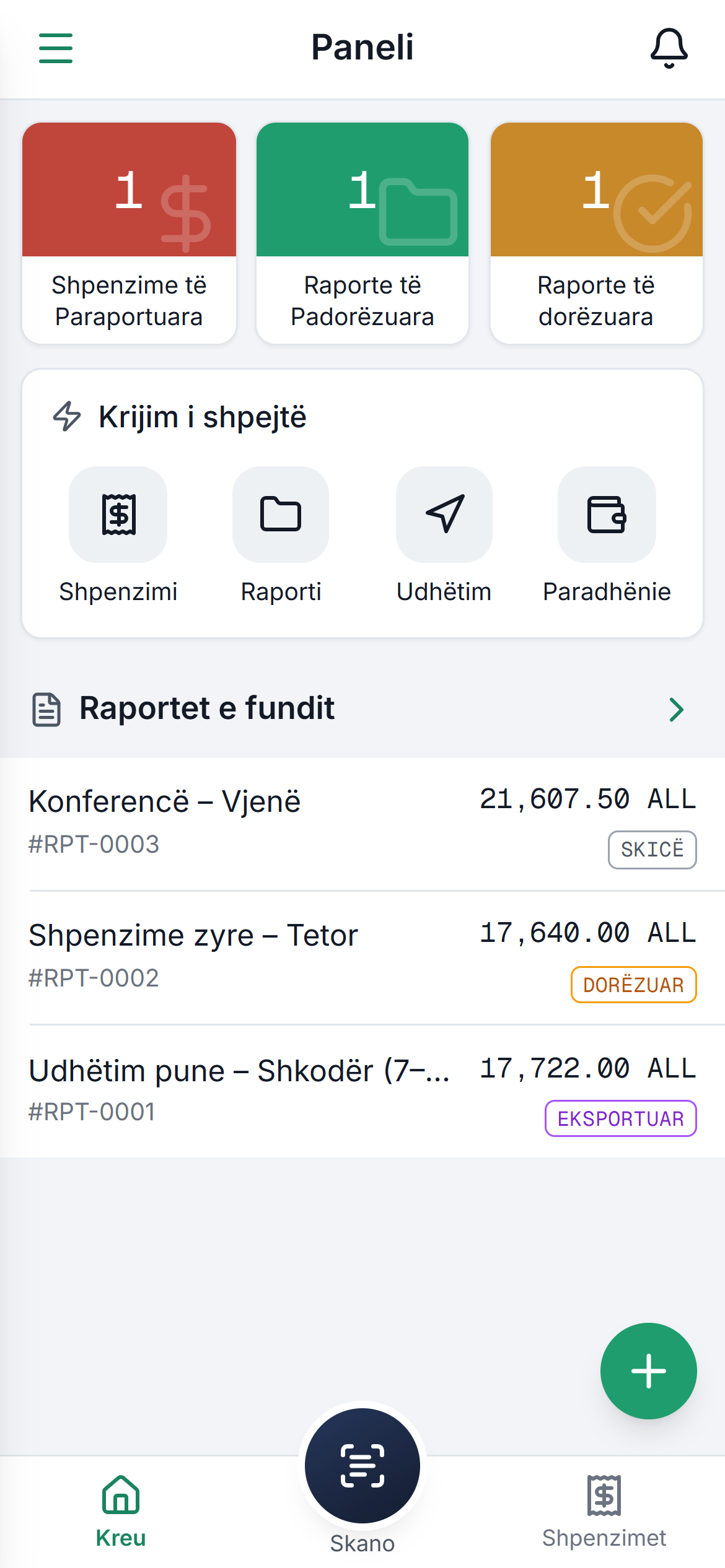
Android app
Install it from Google Play: the same account and companies, a layout made for the phone, and the scanner one tap away.
Receipt scanner
Point the camera at a receipt: the edges are found and the photo straightened. Albanian fiscal receipts are read from their QR code and verified with the tax authority.
Trips and mileage
Add the stops on a map and the distance and amount fill in. Every expense of a trip is grouped under it, in the report and in the PDF.
LlogariPro and QuickBooks
Approved reports become documents in your accounting, receipts attached. LlogariPro now connects with a single button.
Advances and returns
Give an advance, spend against it and record what comes back. The balance is always up to date.
Nothing goes out incomplete
Before a report is submitted or approved, the app points to every expense that still misses an account or a payment method.
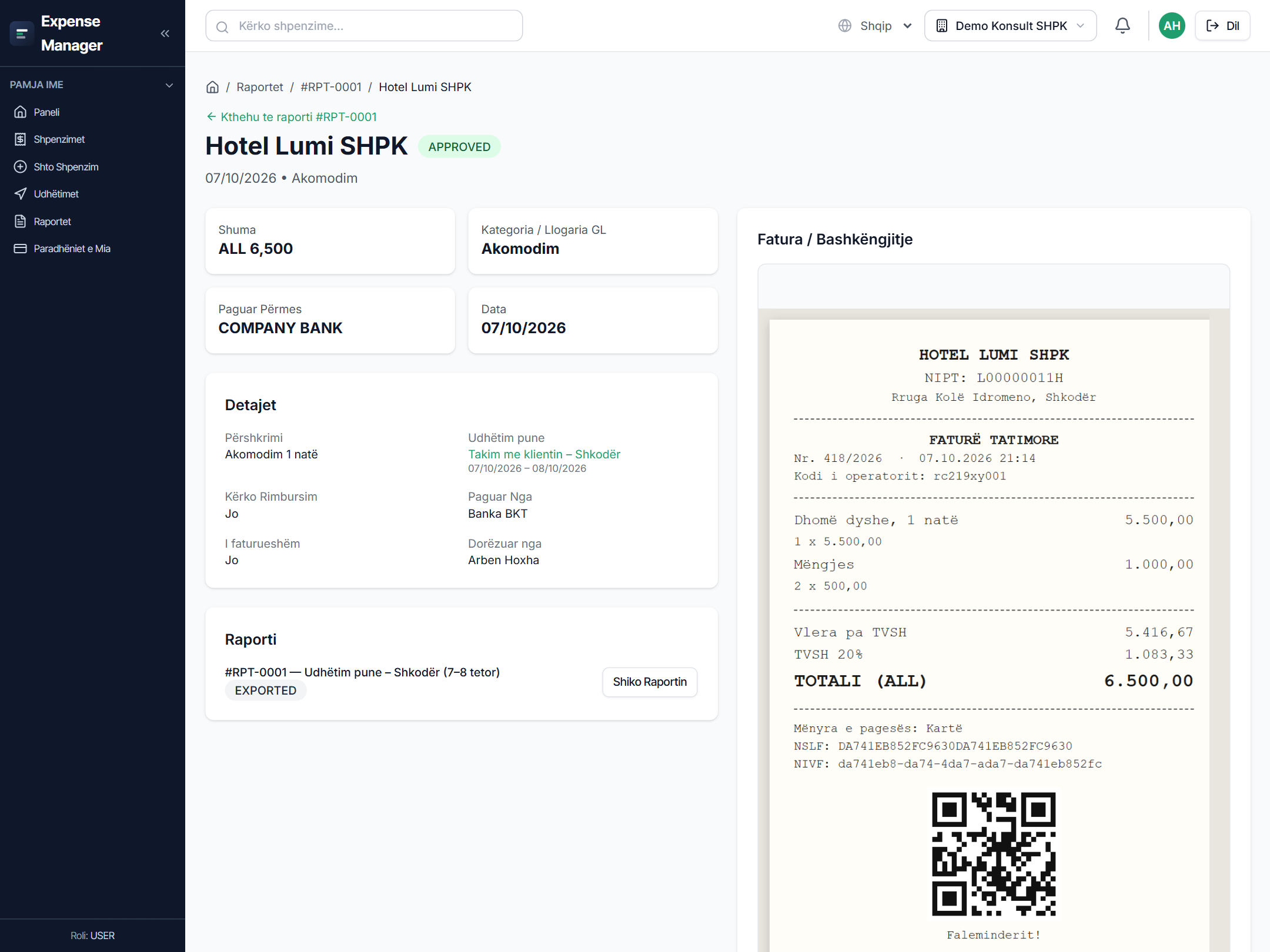
Snap the receipt, the expense fills itself in
The receipt stays next to the fields while you check them: amount, date, merchant, NIPT and VAT. Photos and PDFs open right there.
- Fiscal receipts verified from their QR code
- Amounts in Lek, euro or any other currency
- Itemized invoices, one account per line
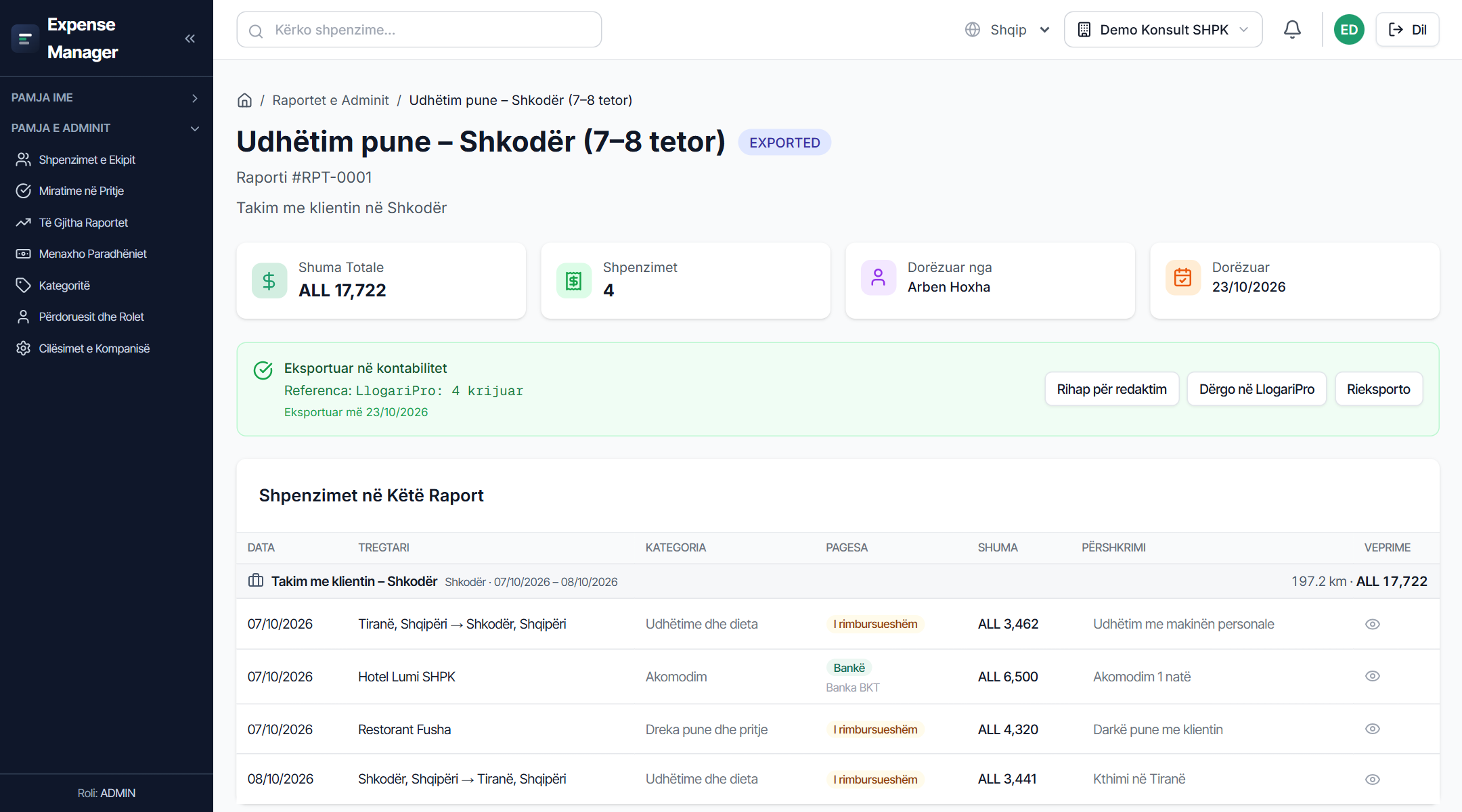
Approvals without chasing anyone
Reports reach the right approver, who reviews each expense in place, comments, approves or sends it back — at the desk or on the phone.
- Multi-level approval flows
- Expenses grouped by trip
- PDF report with the receipts
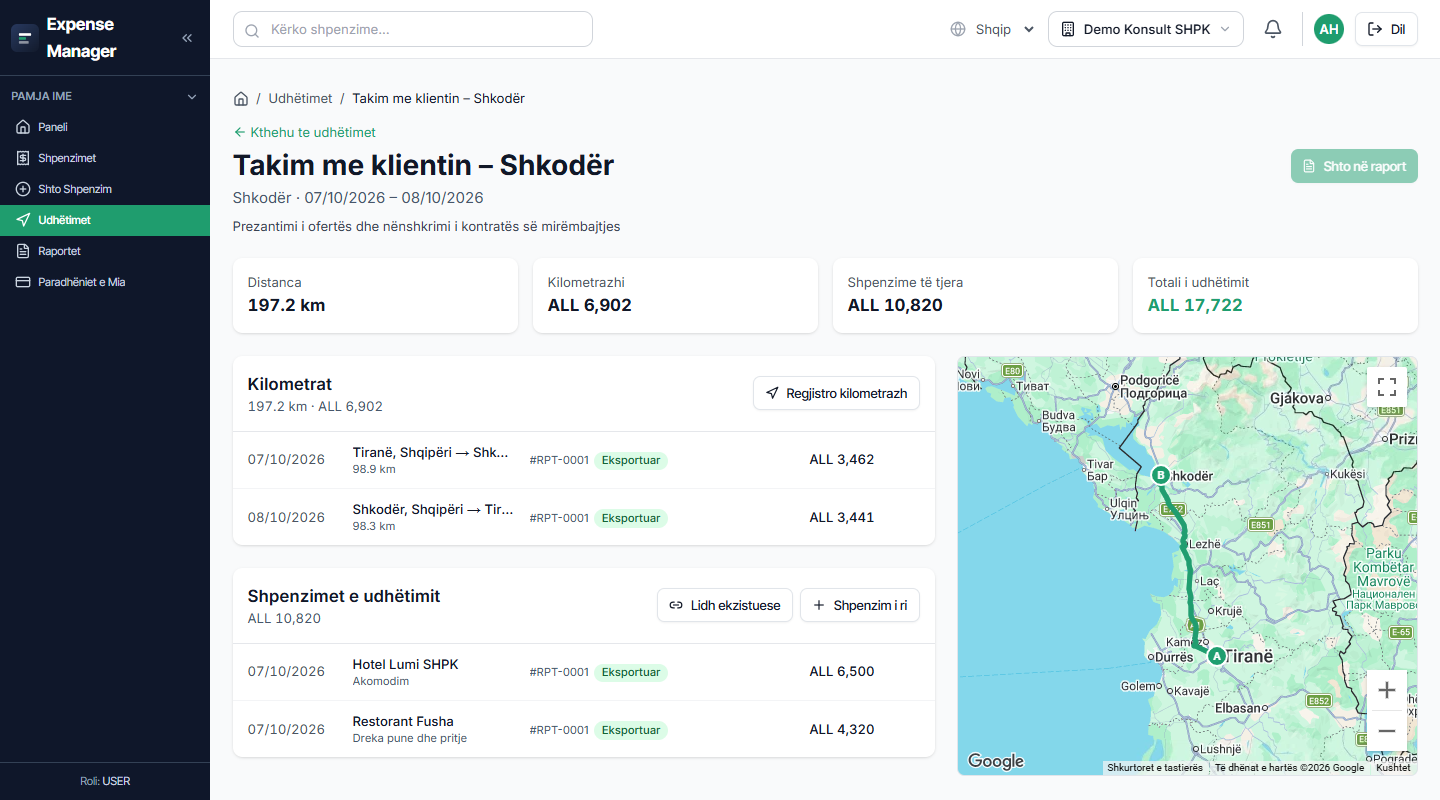
Trips and mileage on the map
Add the stops, return to the start if you need to, and the distance comes from the route. Each leg is priced at the company rate per km.
- Address suggestions for every stop
- Rate per km set by the company
- The route printed on the report
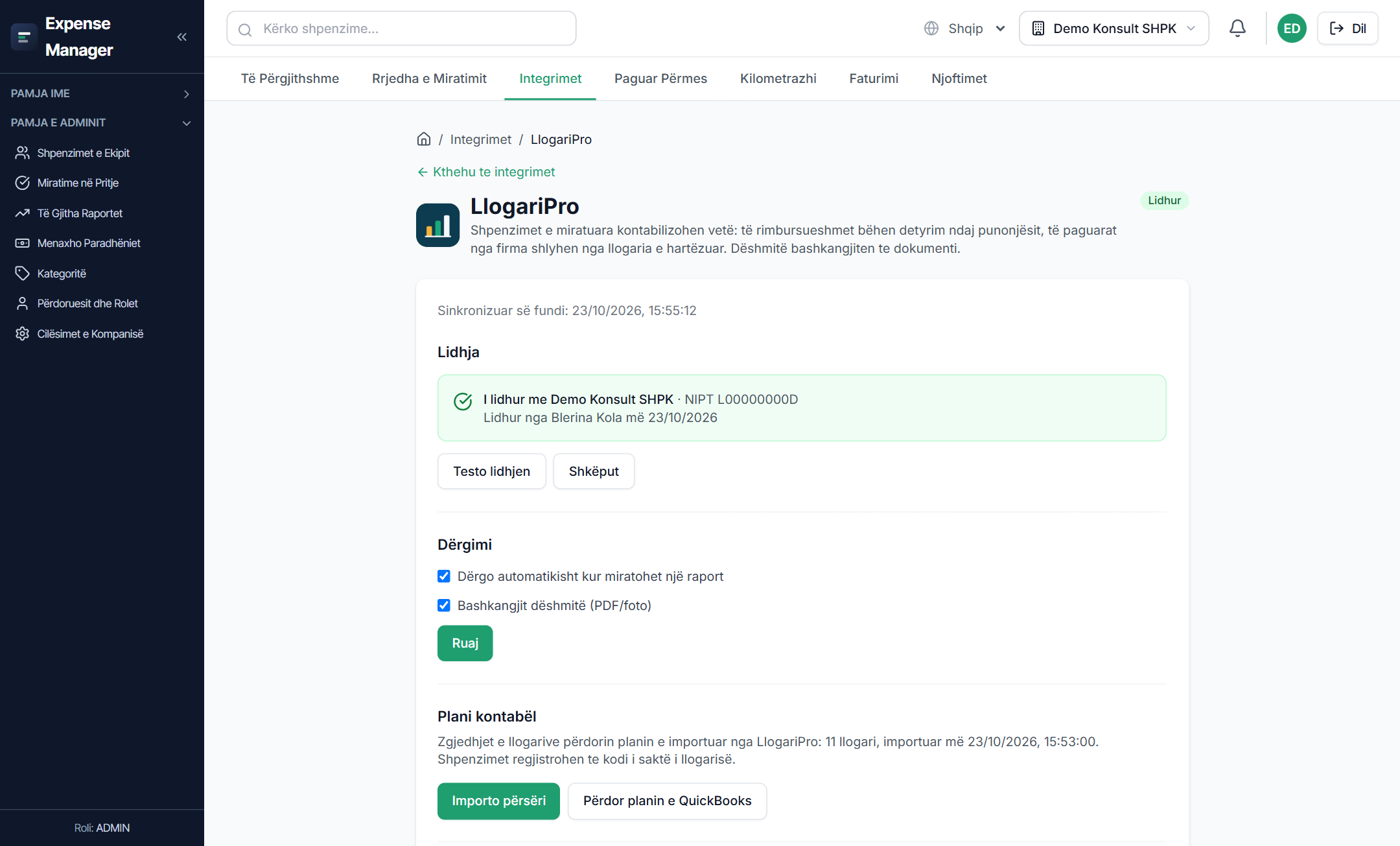
Straight into your accounting
Connect LlogariPro with one button, or QuickBooks Online, use their chart of accounts, and approved reports are booked automatically — receipts included.
- The chart of accounts from your accounting
- Sent automatically after approval
- Export history on every report
Your expenses in your pocket
The Android app opens your companies with a layout made for the phone: scan a receipt, file the expense and approve reports on the go. Everything stays in sync with the web.
- Scanner with fiscal QR code reading
- Sign in with Google, Microsoft or Apple
- Reports and exports open in the phone viewer
iPhone and iPad: coming soon to the App Store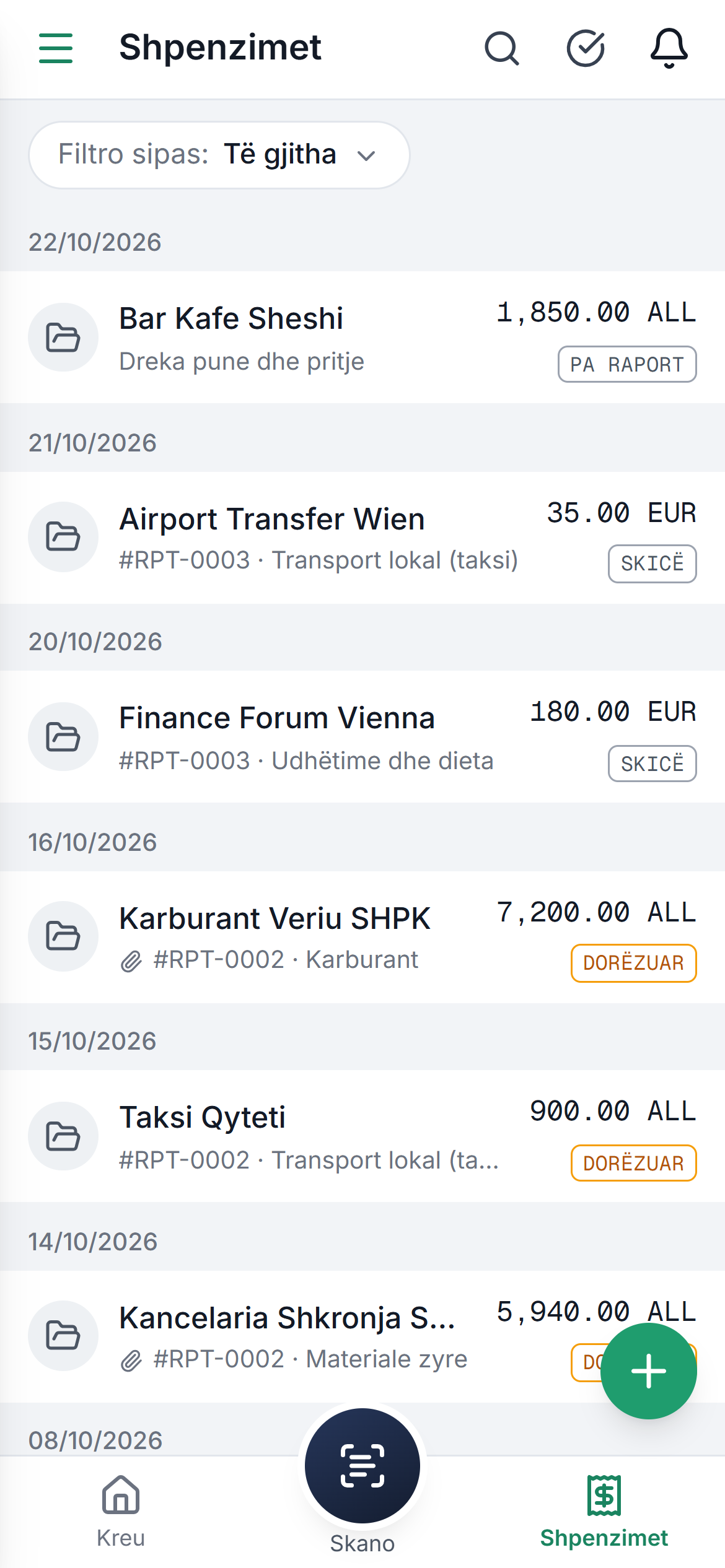
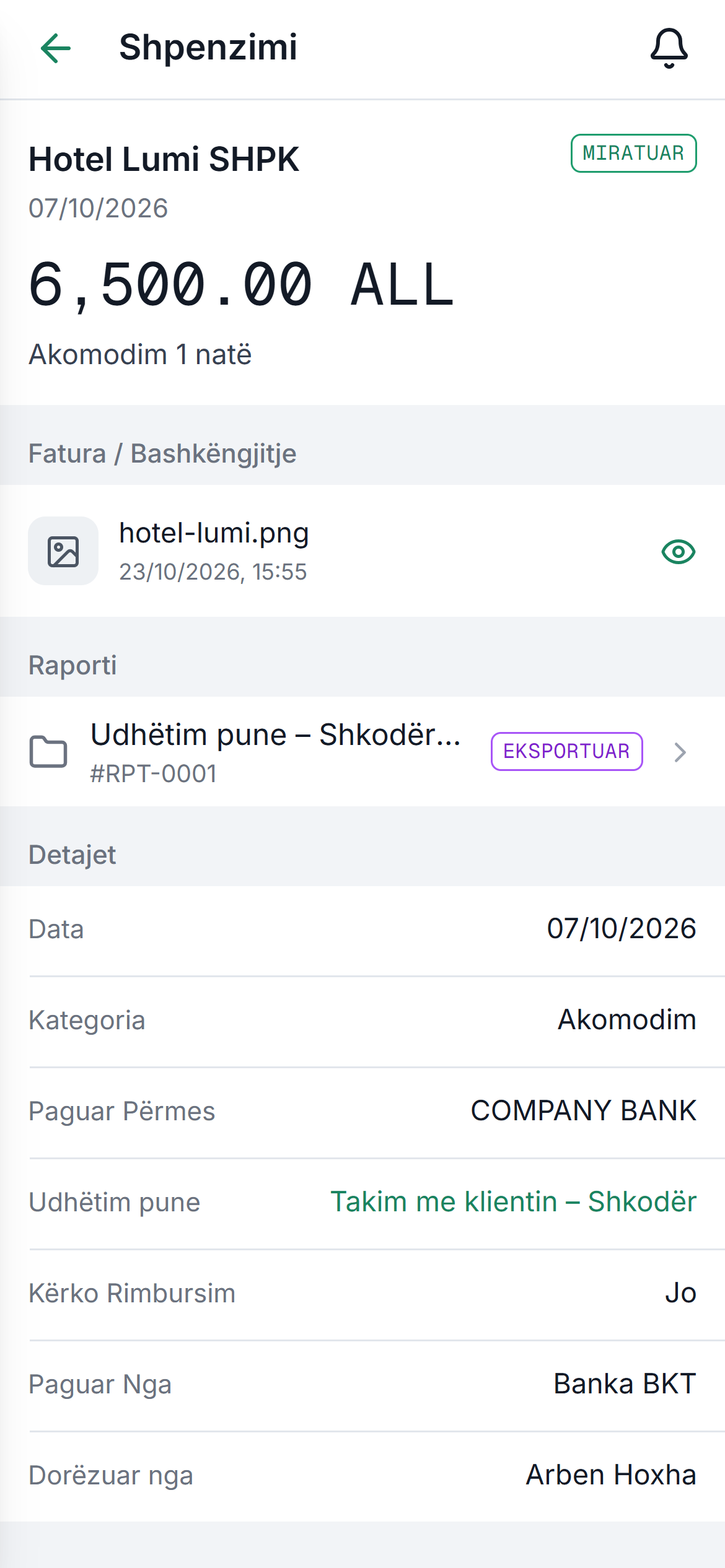
Multi-Company
Manage expenses across multiple companies from one account
Multi-Currency
Submit an expense in the currency you actually paid in — Lek, Euro, or any other — and reports reconcile automatically.
Role-Based Permissions
Fine-grained access control — from basic submitters to company admins — keeps financial data visible only to the right people.
Reports & Notifications
Real-time status on every report, plus email and in-app alerts the moment something needs your attention.
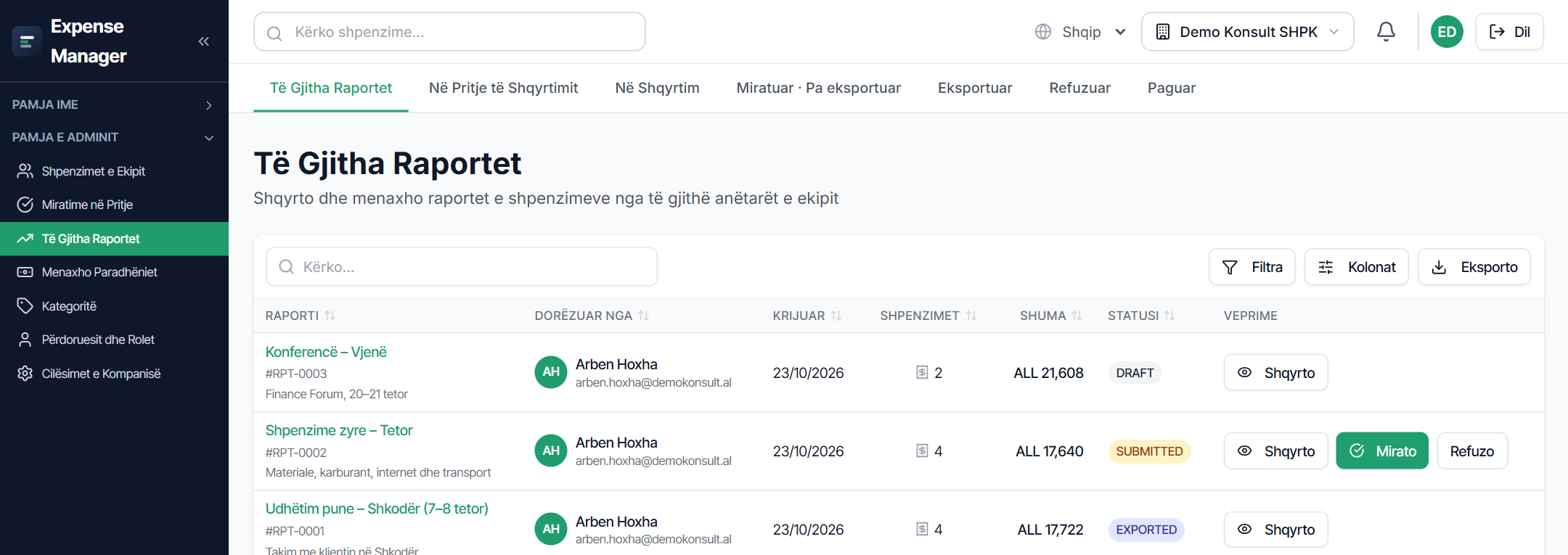
How it works
Submit
Snap a photo of the receipt, pick a category and currency, and submit — from any device.
Approve
Your approval chain reviews the report, with every comment and change tracked automatically.
Export
One click sends the approved report straight to your accounting software, ready for the books.
A role for everyone on the team
Access is scoped to what each person actually needs to see.
User
Submit and track your own expenses and advances.
Approver
Review and approve or reject expense reports.
Accountant
See every expense across the company and export to accounting.
Admin
Manage categories, roles, and company settings.